
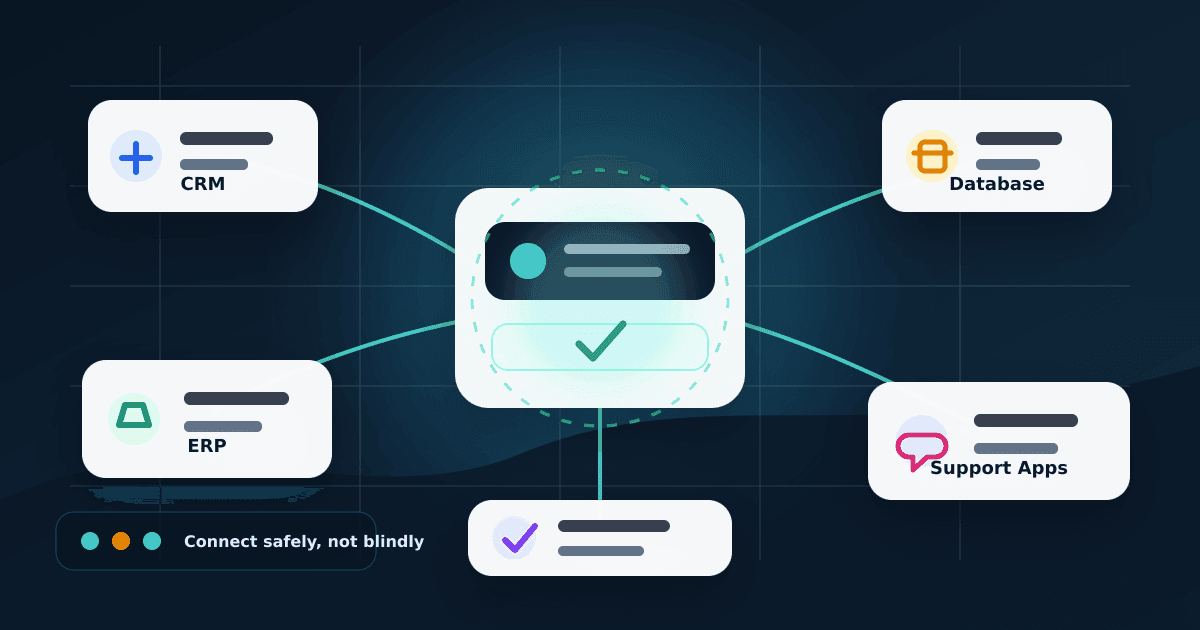
A business can buy the best AI tool in the market and still stay slow. Why? Because most real work is not inside the AI chat window. It is inside CRM records, ERP orders, support tickets, invoices, spreadsheets, dashboards, email inboxes and internal apps.
This is where many companies are getting stuck. Their teams use AI for writing emails, summarising notes and creating ideas, but the daily workflow still depends on copy-paste. A sales person checks the CRM, then opens WhatsApp, then looks at an invoice, then asks someone from operations for order status. The AI is present, but it is not properly connected to the systems where the work happens.
Model Context Protocol connectors can change this. The Model Context Protocol, usually called MCP, is an open standard that helps AI tools connect with external systems through approved tools and data sources. In simple words, it can become a safer bridge between AI assistants and business software.
The simple idea
AI should not get direct, unlimited access to your CRM, ERP or database. It should go through a controlled connector layer that decides what the AI can read, what it can request, what needs human approval and what must be blocked completely.
Why this matters now
MCP is no longer just a small developer experiment. The official MCP documentation describes it as an open-source standard for connecting AI applications to external systems. OpenAI documents MCP servers for ChatGPT Apps and API integrations. Anthropic documents MCP for Claude Code. Microsoft documents MCP tool connections for Foundry agents.
That does not mean every business should rush and connect everything tomorrow morning. But it does mean the direction is becoming clear: AI tools are moving from simple chat boxes to connected assistants that can use approved business tools.
Businesses that prepare early can build cleaner integrations, permissions and audit logs. Businesses that wait too long may end up with random AI plugins, unsafe API keys and disconnected automation built in a hurry.
The real business gap MCP connectors can solve
AI cannot see the full customer story
A sales person asks the AI about a lead, but the useful details are split between CRM notes, emails, invoices, WhatsApp chats and support tickets.
Teams still copy-paste between tools
Employees use AI for writing, but still manually move data from forms to CRM, CRM to ERP, ERP to email and email to dashboards.
Automation becomes risky without control
If AI gets broad access to business systems, one bad prompt, wrong instruction or leaked token can create a real operational problem.
What an MCP connector does in plain English
Think of MCP like a common connector format for AI tools. Instead of building a separate integration for every AI product, a business can expose approved tools through an MCP server. The AI client can then ask for those tools in a structured way.
For example, instead of giving AI full database access, you expose a safe tool called get_customer_order_status. That tool can read only selected order fields. It cannot refund money, delete records, export customer lists or change addresses unless a separate approved workflow allows it.
{
  "tool": "get_customer_order_status",
  "access": "read-only",
  "allowed_fields": ["order_id", "status", "expected_delivery", "assigned_team"],
  "blocked_fields": ["payment_token", "full_card_number", "internal_notes"],
  "approval_required_for": ["customer_message", "refund", "address_change"],
  "audit_log": true
}
Useful first use cases
The safest starting point is not full automation. The safest starting point is controlled assistance around common business questions.
CRM lookup
Find lead status, last contact, assigned sales person and open follow-ups without asking staff to search manually.
Support summaries
Read ticket history and draft a reply, while keeping final customer communication approval with a human.
Order and invoice status
Check order, invoice, delivery or payment status through approved read-only tools instead of direct database access.
Internal task creation
Create a follow-up task, draft a quotation, update a lead stage or prepare a report after policy checks are passed.
The safe architecture pattern
A sensible production setup should not connect the AI model directly to the database or ERP. The model should talk to a connector gateway. The connector gateway talks to approved systems. Every action should pass through authentication, permission checks, validation, audit logs and approval rules.
AI tool
MCP gateway
Approved tools
Audit logs
Human approval
This is slower than giving one admin key to an AI agent, but it is far safer. Production systems need boring controls: permissions, limits, logs and rollback. That is what keeps automation maintainable.
What should not be connected first
Some actions should stay away from early AI automation. Use AI to assist, draft and prepare. Do not give it high-impact control before the workflow is tested properly.
- Refunds, payments and account balance changes
- Production database writes without approval
- Customer-facing messages sent without review
- Legal, medical, financial or HR decisions
- Bulk exports of customer or employee data
- Admin-level tools that can delete or disable accounts
Security risks are real
MCP security guidance highlights risks such as confused deputy problems, token passthrough, server-side request forgery, session hijacking, prompt injection and OAuth authorization validation issues. These are not academic words only. They can become real incidents if a business connects AI tools carelessly.
Prompt injection is especially important. An email, ticket, webpage or document can contain malicious instructions that try to trick the AI into using a tool incorrectly. The connector server must enforce rules even if the AI is persuaded by bad content.
{
  "user": "sales-team-member",
  "tool": "get_customer_order_status",
  "system": "erp",
  "action": "read",
  "approved": true,
  "timestamp": "2026-07-08T10:30:00+05:30"
}
Practical security checklist
A practical 30-60-90 day rollout
Read-only connector
Pick one low-risk system such as CRM lookup, support ticket search or internal knowledge base search. Do not allow writes yet.
Approval-gated workflow
Let the AI prepare drafts or tasks, but route sensitive actions through a manager or assigned team member before they are submitted.
Controlled automation
Allow limited write actions only after logs, permissions, failure handling and rollback process are tested with real users.
What business teams should ask their developers
- Which systems will the AI connector read from?
- Which actions are read-only and which actions can change data?
- Who approves customer-facing messages or record updates?
- Where are tool calls logged, and who can review those logs?
- What happens if the AI tool gives a wrong answer or the connector fails?
- Can we disable one connector quickly without taking the whole system down?
Final takeaway
Model Context Protocol connectors are not magic. They will not fix a messy CRM, unclear permissions or weak business process. But they can give businesses a cleaner way to connect AI tools with real systems when the architecture is designed properly.
The practical rule is simple: connect AI to business systems through scoped tools, approval gates and audit logs. Businesses that build this foundation early will be in a stronger position than teams that keep using AI as a separate copy-paste window.