
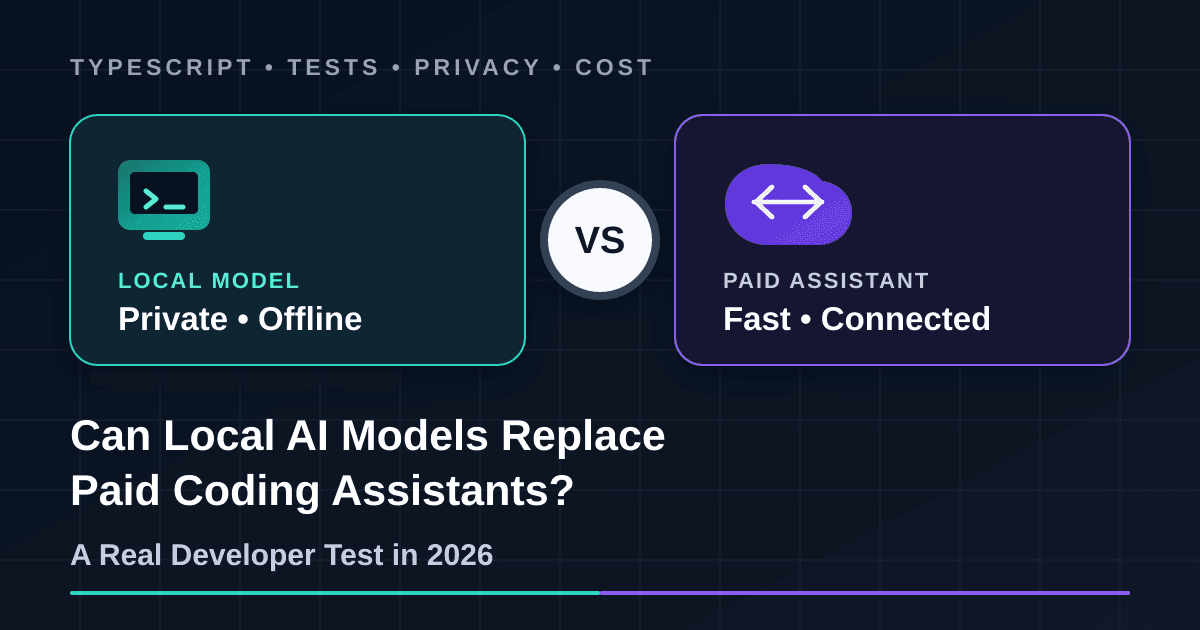
A developer has two options. Send the project to a powerful paid coding assistant, or run a smaller model on the same machine where the code lives. The local option sounds private and cheap. The paid option sounds faster and more capable. But which one actually finishes the work correctly?
We tested both options with the same three TypeScript tasks. The output was compiled and checked with hidden automated tests. This was not a leaderboard, a sponsored comparison or a collection of model claims. It was a practical test on normal older hardware.
The short answer
On this older CPU-only machine, the answer was no: the 1.5B local model could not replace the hosted assistant. Larger local models can still handle some small, clear tasks on stronger hardware. The best setup in 2026 is usually hybrid: local for private and focused work, hosted for complex work, and human review for everything that reaches production.
Why developers are testing local models now
Open-weight models are receiving real production traffic. Vercel reported that open-weight models generated 29% of June 2026 token volume on its AI Gateway. That number is useful, but it needs correct context: it is Vercel gateway token volume, not 29% of the whole AI market, and it does not mean those models were running on developers' laptops.
Thoughtworks Distinguished Engineer Birgitta Böckeler also published two practical notes on Martin Fowler's website after testing local coding models. The results were mixed. Small scripts and clear edits could work, while code discovery, tool calling, continued conversations and complex logic remained less reliable.
That matches the real question developers should ask. Do not ask whether a local model is “better” in general. Ask which work it can complete safely on your hardware, at an acceptable speed, with evidence from tests.
Our test setup
Fairness warning: this is not the strongest local model available. It is a realistic model that can run on a 2014 desktop CPU. Larger local models on modern GPUs or high-memory Apple Silicon can do better. The hosted model also runs on remote infrastructure that this machine cannot match.
How we kept the comparison practical
Both systems received the same prompt for each task. They were asked to return one TypeScript file without explanation. Neither system received the hidden test files. After generation, we compiled the answer in strict mode and ran the tests once. There was no manual repair before scoring.
The three coding tasks
TypeScript data function
Group paid orders, validate bad values, round totals and sort results
Asynchronous bug fix
Repair retry counting, input validation and rejected Promise handling
Security validation
Validate remote asset URLs, hosts, file names, content types and size limits
Real results
| Task | Local model | Local time | Paid assistant | Hosted time |
|---|---|---|---|---|
| TypeScript data function | Did not compile | 39.34 seconds | Compiled and tests passed | 14.89 seconds |
| Asynchronous bug fix | Did not compile | 17.45 seconds | Compiled and tests passed | 8.38 seconds |
| Security validation | Did not compile | 56.54 seconds | Compiled and tests passed | 17.26 seconds |
What the numbers mean
The 1.5B local model produced plausible-looking code for all three tasks, but none of the files passed strict TypeScript compilation. It left an accumulator untyped, used a missing lastError variable, and introduced conflicting variables in the security validator. These were basic defects that a quick visual review could miss.
The hosted assistant compiled and passed all three test suites. Its total generation time was 40.53 seconds, compared with 113.33 seconds locally. On this CPU-only machine, the small local model was about 2.8 times slower for the complete set and still needed developer repair.
We also found a bug in our own benchmark: the first security test used an incorrectly escaped backslash, so a valid answer initially looked like a failure. We corrected the test fixture and reran it before scoring. This is an important reminder that AI benchmarks and test suites also need human review.
Generation time is wall-clock time measured on the test machine. It includes local model loading for each isolated run and hosted network/model response time. It is not a tokens-per-second benchmark.
Privacy: local is better only when the full path is local
A local model can keep prompts and source code on your machine. That matters for client code, unpublished products, healthcare systems, financial work and private repositories. But running a model locally does not automatically make the whole coding assistant private.
IDE telemetry, cloud fallback, web search, remote Model Context Protocol servers, crash reports and online embeddings can still send data outside. Bind the inference server to localhost, disable cloud features, inspect the extension settings and test the workflow without internet before making a strong privacy promise.
Also check the model licence separately. llama.cpp and Ollama have their own software licences; every downloaded model keeps its own terms. “Open-weight” does not automatically mean unrestricted or fully open-source.
Hardware decides the experience
Model size is only one part of memory use. The runtime also needs memory for the context cache, prompts and temporary work. A longer context lets the tool see more code, but it also uses more RAM or VRAM. A model advertising a huge context window does not mean that context will be fast, accurate or practical on a laptop.
Quantisation makes local models smaller. It is the reason a 1.5-billion-parameter coding model can fit comfortably on this older machine. The trade-off is possible quality loss. Moving part of a larger model to the CPU can make it fit, but generation may become too slow for comfortable daily use.
Cost: free software is not zero-cost work
A local model may have no monthly API bill, but it still uses hardware, storage, electricity and setup time. If a developer spends ten minutes waiting and repairing an answer that a hosted tool finishes correctly in one minute, the “free” option may cost more during client delivery.
Paid assistants are easier to justify when speed and complex repository work directly affect revenue. Local models are easier to justify when privacy, offline access, predictable usage or large volumes of small tasks matter more than maximum capability.
Where the local model is useful
Where it still struggles
Reproduce the local side
We used the official llama.cpp release and a Q4_K_M GGUF build of Qwen2.5-Coder-1.5B-Instruct. After downloading the model and runtime, the core command was:
llama-cli \
  -m Qwen2.5-Coder-1.5B-Instruct-Q4_K_M.gguf \
  -c 4096 \
  -t 8 \
  --temp 0 \
  --seed 42 \
  --single-turn
Use an isolated sample project first. Do not point a new local agent at a production repository with write permission until you understand its prompts, context limits, tool calls and failure behaviour.
The practical hybrid workflow
Use local first
Private snippets, autocomplete, simple utilities, documentation, test ideas and well-scoped refactors.
Use hosted when complexity rises
Large repositories, unfamiliar systems, multi-file features, difficult debugging and time-sensitive delivery.
Keep human approval
Run tests, review the diff, scan dependencies and security, and approve the final pull request yourself.
Final recommendation
Do not cancel every paid coding tool because a local demo or leaderboard looks impressive. Also do not ignore local models because they are slower on old hardware. Both reactions miss the practical value.
Start with one local model for private, repeatable and well-tested tasks. Keep a strong hosted assistant for large repositories and difficult delivery work. Route each task according to privacy, complexity, urgency and available hardware.
Most importantly, trust neither option without evidence. Compile the output, run tests, inspect the diff, scan security risks and keep a developer responsible for the final pull request.